
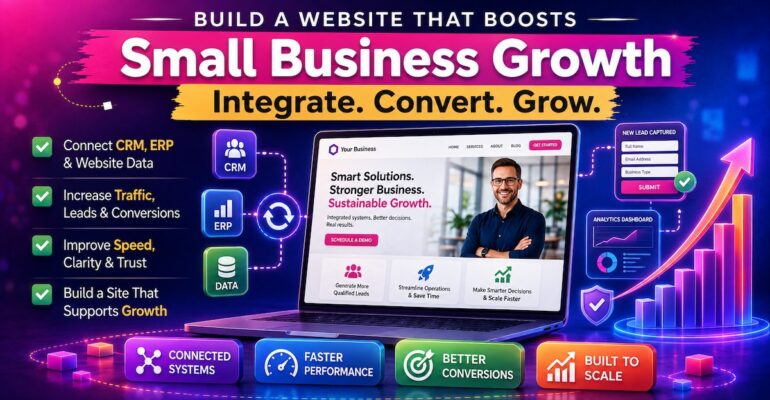
For local service providers, shop owners, and solo operators, a website often exists because it “should,” yet it rarely pulls its weight. The core tension is simple: small business owners need steady leads and sales, but website design challenges like unclear mBuild a Website That Boosts Your Small Business Growth Today For small business owners managing day-to-day operations, a website can become a quiet bottleneck when it isn’t built for website growth alignment. As the business adds new services, hires staff, and tightens processes, disconnected pages and forms create website integration challenges that spill into admin work and missed follow-ups. That friction shows up where it hurts most: business productivity drops because teams spend time reconciling information instead of serving customers. Growth-focused website development changes the role of the site from a standalone brochure to a system that supports how the business runs.
Understanding CRM, ERP, and Website Data Sync
When your CRM, ERP, and website share data, information moves once and shows up everywhere it’s needed. CRM and ERP integration connects customer activity with operations like billing, inventory, scheduling, and fulfillment. Website data synchronization keeps forms, orders, and bookings consistent so teams stop retyping and comparing details.
This matters because manual handoffs create delays, mistakes, and missed follow-ups as volume increases. A rising ERP software market reflects how many growing companies depend on these systems, so letting them operate in silos becomes costly. When tools connect, your process becomes repeatable instead of person-dependent.
Picture a lead who requests a quote on your site. With syncing, the CRM creates the contact, the ERP generates a work order, and finance sees the right customer record. It’s like a shared clipboard that updates itself, so every team works from the same truth.
Lock In Brand Trust Fast with a Consistent Logo System
When your tools and website data work together smoothly, the next trust signal visitors notice is whether your brand looks consistent and credible. A well-designed logo does real work on a growth-focused site: it creates a strong first impression, helps people remember you over time (brand awareness), and clearly separates your business from competitors offering something similar.
If you’re on a tight budget, you don’t have to pay for logo design services to get something usable. Many owners find that it helps to use an free logo maker online to create an appealing, creative logo themselves. The process is straightforward: choose a style and an icon, add the text you need, then review the assortment of logo options that are generated. From there, you can fine-tune the look by adjusting fonts and colors until it matches how you want your business to be perceived.
Use 7 Build Decisions to Grow Traffic, Conversions, and Speed
Small business sites grow faster when they’re built around a few intentional decisions, not endless tweaks. Use the build choices below to accelerate organic traffic, make the experience feel effortless, and turn more visits into leads and sales.
- Pick one “primary goal” per page (and design around it): Decide what each page should do, book a call, request a quote, buy, or join an email list, then make that the most visually dominant element. A strong logo system helps here: consistent colors, type, and button styles build trust while making decisions easier for visitors. Use one primary call to action plus one secondary option, and remove anything that competes with the main action.
- Use visual hierarchy so important elements don’t disappear: Scan your key pages on mobile and desktop and ask, “Can I find the next step in 3 seconds?” Make your call to action easy to find by using scale, contrast, and spacing, then repeat it in predictable places like the hero area and after benefits/FAQs. For example, if “Schedule a consultation” matters most, give it a distinctive button style that matches your brand system and reserve that style for primary actions only.
- Build mobile-first with a responsive layout: Start design decisions at the smallest screen size, then scale up. A responsive template forces better prioritization, reduces usability issues, and supports search engine optimization because content is consistent across devices. Test your top pages on at least two phones and one tablet, checking tap targets, form fields, and whether headings wrap awkwardly.
- Create an SEO “topic cluster” instead of random blog posts: Choose 3–5 money-adjacent topics customers ask about, then build one strong “pillar” page for each and 4–6 supporting articles that answer specific questions. Interlink them intentionally: every supporting page links to the pillar, and the pillar links back to the best supporting pages. This structure helps search engines understand your expertise and can accelerate organic traffic without constantly chasing new keywords.
- Raise conversions with one measurable page experiment per month: Treat conversion rate optimization as a schedule, not a mood. Pick one page (often your homepage, service page, or landing page), set a baseline, and test a single change: headline clarity, proof blocks, button copy, or form length. Use 2%–5% as a starting benchmark since the average website conversion rate varies by industry, then focus on improving your own trend over time.
- Speed up perceived performance with image and layout discipline: Resize images to the largest size they’ll display, compress them, and avoid loading five large images above the fold. Limit heavy sliders, auto-playing video, and third-party widgets on key landing pages. A faster site doesn’t just feel better, it reduces friction for checkout, booking, and form completion.
- Instrument your site so growth decisions are data-backed: Set up analytics events for the actions that matter, form submits, phone clicks, booking starts, add-to-cart, and checkout completion. Add simple dashboards for weekly review: traffic by channel, top landing pages, conversion rate by page, and site speed metrics. Once tracking is in place, it’s far easier to evaluate which integrations, performance fixes, and branding tools will produce the biggest lift for your business.
Quick Answers to Common Website Growth Questions
Q: How can integrating my website with internal tools like CRM and ERP systems reduce operational stress?
A: When your website feeds leads, orders, and inquiries directly into your systems, you reduce duplicate entry and missed follow-ups. Clear roles help too: operational processes typically live in ERP, while customer relationship management sits in CRM. Start with one high-impact connection, like routing form submissions into your CRM with consistent fields.
Q: What are the key design principles to simplify my website and make it more user-friendly for visitors?
A: Keep each page focused on one main action and remove anything that competes with it. Use clear headings, generous spacing, and consistent button styles so visitors always know what to do next. A short navigation menu and scannable sections reduce decision fatigue for both you and your customers.
Q: In what ways can improving my site’s performance help alleviate feelings of overwhelm caused by slow load times?
A: Faster pages mean fewer complaints, fewer abandoned visits, and less panic when you publish updates. A helpful benchmark is that load on average within 1.65 seconds describes how quickly top search results often appear to users. Prioritize image compression, fewer plugins, and a single performance audit before making more changes.
Q: If I’m struggling to create a cohesive brand identity that grows with my website, what are some ways to design easily adaptable logos?
A: Build a flexible logo set: a full version, a simplified mark, and a one-color option that works at small sizes. Choose a clean typeface, limit your palette, and document spacing rules so updates stay consistent. If you explore logo design tools, compare them by export formats, editing ease, and breadth of options such as 429,000+ logos to reduce trial-and-error.
Put One Website Growth Upgrade Live for Measurable Momentum
It’s easy for a small business website to look “finished” while still failing to drive leads, streamline work, or build trust. The way forward is a growth-driven mindset: prioritize what improves clarity, speed, and integrations so the site consistently delivers business growth support. When those growth-driven website strategies are applied, the website implementation benefits show up as cleaner handoffs, stronger follow-up, and business scalability through websites that can handle more demand without more chaos. A website should earn its keep by turning attention into action. Choose one upgrade this week, connect the system that matters most or fix the performance bottleneck, and put it live. That steady rhythm is what makes digital transformation for SMBs durable, predictable, and growth-ready.
Unlock your business’s potential with NavaWeb, your go-to partner for Web Design Services in Vancouver, BC, Branding & Logo Design Services in Vancouver, BC, and powerful digital marketing strategies!